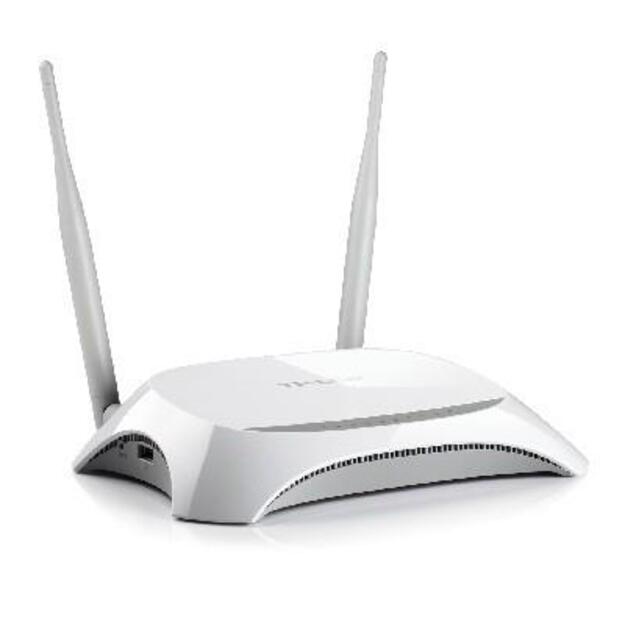
WRL 3G/4G ROUTER 10/100M/4PORT TL-MR3420 TP-LINK

Prekės kodas: 1119294

Turimas kiekis: 10

Type Router | Data transmission speed 300 Mbps | IEEE 802.11b | IEEE 802.11g | IEEE 802.11n | 4x10/100M | 64, 128-bit WEP | WPA - Wi-Fi Protected Access | WPA2 - Wi-Fi Protected Access | Antenna Type Omni-Directional | Wireless Frequency Range 2.400-2.4835 GHz | Wireless Transmit Power 20 dBm | Included Accessories 2 Antennas Power supply unit Ethernet Cable Resource CD Quick Installation Guide | Power supply requirements 9 V / 0.85 A
€2580 su PVM
Turite klausimų apie šią prekę? Klauskite
Garantija: 36
Gamintojas: TP-LINK
Techninė informacija
1 WAN Yes
10/100M 4
64, 128-bit WEP Yes
Antenna Type Omni-Directional
Category Code WR3
Data transmission speed 300
IEEE 802.11b Yes
IEEE 802.11g Yes
IEEE 802.11n Yes
Included Accessories 2 Antennas; Power supply unit; Ethernet Cable; Resource CD; Quick Installation Guide
Linux Yes
MacOS Yes
Model TP-LINK TL-MR3420 4PORT
Network Device Type Router
Power supply requirements 9 V / 0.85 A
USB Yes
Unit Box Height 0.07
Unit Box Length 0.315
Unit Box Width 0.24
Vendor Homepage http://www.tp-link.com/en/products/details/?model=TL-MR3420
WPA - Wi-Fi Protected Access Yes
WPA2 - Wi-Fi Protected Access Yes
Windows 2000 Yes
Windows 7 Yes
Windows Vista Yes
Windows XP Yes
Wireless Frequency Range 2.400-2.4835 GHz
Wireless Transmit Power 20
TP-LINK TL-MR3420 4PORT

Share the freedom of 3G/4G! The TL-MR3420 3G/4G Wireless N Router allows users to share a 3G/4G mobile broadband connection with family and friends via wired or wireless connections. By connecting a 3G/4G USB modem to the routers, a Wi-Fi hotspot is instantly established, via which multiple devices can access the Internet and share data and applications wirelessly.
+ Compatible with LTE/HSPA+/HSUPA/HSDPA/UMTS/EVDO USB modems, tested in the field
+ 3G/4G and WAN connection Backup guarantees an "Always-online" Internet connection
+ Local wireless HD video sharing, with speeds up to 300Mbps
+ Easy one-touch wireless security encryption with the WPS button
+ Bandwidth control allows administrators to determine how much bandwidth is allotted to each PC
Parašyti atsiliepimą