-
Pagrindinis
-
KOMPIUTERINĖ TECHNIKA
-
IŠORINIAI PERIFERIJOS ĮRENGINIAI IR OFISO ĮRANGA
-
Monitoriai
-
Monitoriai staliniams kompiuteriamas
-
Skaitmeniniai informaciniai ekranai
-
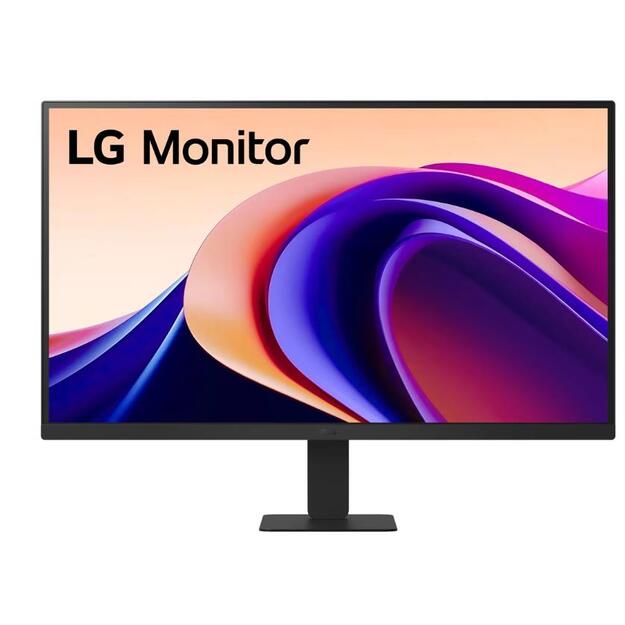
LCD Monitor|LG|27U631A-B|27 |Gaming|Tilt|Panel IPS|2560x1440|16:9|100 Hz|5 ms|Colour Black|27U631A-B
LCD Monitor|LG|27U631A-B|27 |Gaming|Tilt|Panel IPS|2560x1440|16:9|100 Hz|5 ms|Colour Black|27U631A-B
Model 27U631A-B | 27 | Gaming | Tilt | Panel IPS | Resolution 2560x1440 | Form factor 16:9 | Refresh rate 100 Hz | Brightness 250 | Contrast 1000:1 | Response time 5 ms | Horizontal 178 degrees | Vertical 178 degrees | Displayable colours 16.7 million | 1xHDMI | 1xUSB-C | PSU External | 100 mm x 100 mm | Colour Black
| Garantija: |
24 |
| Gamintojas: |
LG |
| Techninė informacija |
| 100 mm x 100 mm |
Yes |
| Brightness |
250 |
| Category Code |
LC3 |
| Colour |
Black |
| Contrast |
1000:1 |
| Data Sheet (Link) |
https://eprel.ec.europa.eu/api/product/2189090/fiches?language=EN |
| Depth |
215 |
| Displayable colours |
16.7 |
| EPREL Registration Number |
2189090 |
| EPREL Version Number |
1 |
| Energy consumption, standard |
22 |
| Energy efficiency class |
F |
| HDMI |
1 |
| Height |
455 |
| Model name |
27U631A-B |
| Monitor features |
Gaming |
| Native resolution |
2560x1440 |
| Panel type |
IPS |
| Pixel size |
0 |
| Power supply |
External |
| Refresh rate |
100 Hz |
| Response time |
5 |
| Screen form factor |
16:9 |
| Screen size |
27" |
| Standby consumption |
1 |
| Tilt |
Yes |
| USB-C |
1 |
| Unit Box Height |
0.442 |
| Unit Box Length |
0.685 |
| Unit Box Width |
0.138 |
| Vendor Homepage |
www.lg.com/us/monitors/lg-27u631a-b-qhd-monitor |
| Viewing angle horizontal |
178 |
| Viewing angle vertical |
178 |
| Width |
613 |
27” QHD IPS 100Hz Monitor with HDR10 and USB Type-C™ 15W PD
- 27" QHD (2560x1440) IPS Display
- USB Type-C 15W Power Delivery
- HDR10 with up to 99% sRGB color gamut expression
- 100Hz Refresh Rate, Dynamic Action Sync, Black Stabilizer
- 3-Side Borderless Design
- Reader Mode, Super Slim Stand
- Customize Your Screen View with the Switch App